Working with PAY payment page
General info about PAY
PAY - page with the interface for receiving payments via Internet. This resource allows to interact with the client regardless of the payment method. It provides a number of methods and currencies that are convenient for the client and allows to specify additional information about the payer if necessary (for example, phone number if payment is processed through mobile commerce).
Currency selection and additional info for payment.
If the currency of the invoice does not match the currency of the payway, then PAY will convert the currency automatically. Thus, the shop will receive invoice funds in the invoice currency and the client will pay in the currency that is convenient for him at the moment.
Billing for payment via PAY
For redirecting the payer to the payment page, you must form and confirm an HTML-form.
URL: https://pay.qostiq.com/en/pay
Method: POST, GET
Mandatory parameters: amount, currency, shop_id, shop_order_id, sign
Example of signature formation for request:
keys_sorted = ['amount', 'currency', 'shop_id', 'shop_order_id']
String for sha256 hash generation looks like:
10.00:980:1:101SecretKey01
HEX-representation of hash:
sign = 7354edb970dae3b496572252d7d7578fc8e0f1061b2e69a9eda1b39f3cdadc69
Example of HTML-form:
<form name="Pay" method="post" action="https://pay.qostiq.com/en/pay" accept-charset="UTF-8">
        <input type="hidden" name="amount" value="10.00" />
        <input type="hidden" name="currency" value="980" />
        <input type="hidden" name="shop_id" value="1" />
        <input type="hidden" name="sign" value="7354edb970dae3b496572252d7d7578fc8e0f1061b2e69a9eda1b39f3cdadc69" />
        <input type="hidden" name="shop_order_id" value="101" />
        <input type="submit"/>
        <input type="hidden" name="description" value="Test invoice" />
</form>
Where,
| Parameter | Description | Format | Example |
|---|---|---|---|
shop_id | shop ID in Qostiq system | Integer | 5 |
amount | bill amount | Number (no more than 2 characters after the dot) | 1, 1.0, 1.00 or "1.00" |
currency | bill currency | Integer | 840 — US Dollar, 980 — UA Hryvnia, 978 — Euro |
description | bill description | String | "test payment" |
shop_order_id | bill ID on the shop's side. Can be checked for uniqueness depending on shop settings | String | "h8fj38dkh-hf8k-4f8d-9c8c-jd8dh38dksn92" |
sign | signature, see Signature formation rules (sign) | String | "a7f5bcbb774cea9d9886cbb3ce2f8731359e356a7d759437b4e9e31da1152109" |
Also, payment form can include additional parameters that do not participate in signature formation, but affect the appearance of the payment page.
| Parameter | Description | Format | Example |
|---|---|---|---|
payway | payway, through which the bill must be paid | String | "card_uah" (listed in the personal profile) |
payer_account | email or ID of the payer's wallet in Qostiq system, if passed in the request, then the bill can be paid only by this account. Only for payments via Qostiq wallet. | String | "support@qostiq.com" or "201494711279" |
failed_url | URL, to which the payer will be redirected after unsuccessful payment | String | "https://qostiq.com/failed" |
success_url | URL, to which the payer will be redirected after successful payment | String | "https://qostiq.com/success" |
Important! Success URL, Fail URL listed in the shop settings have a higher priority than the ones in the request, so they have to be deleted from the shop settings.
General information about the PAY page (Crypto)
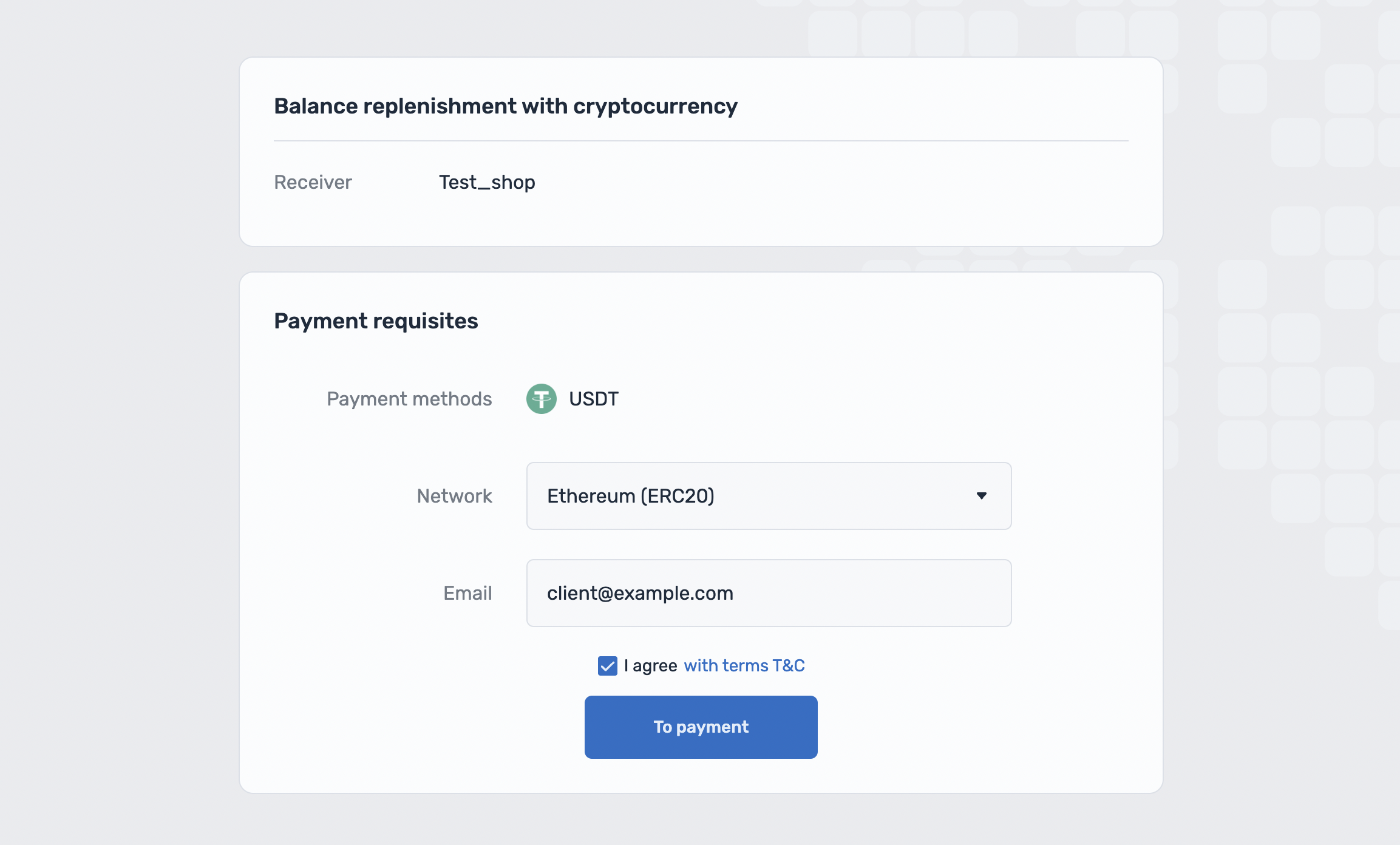
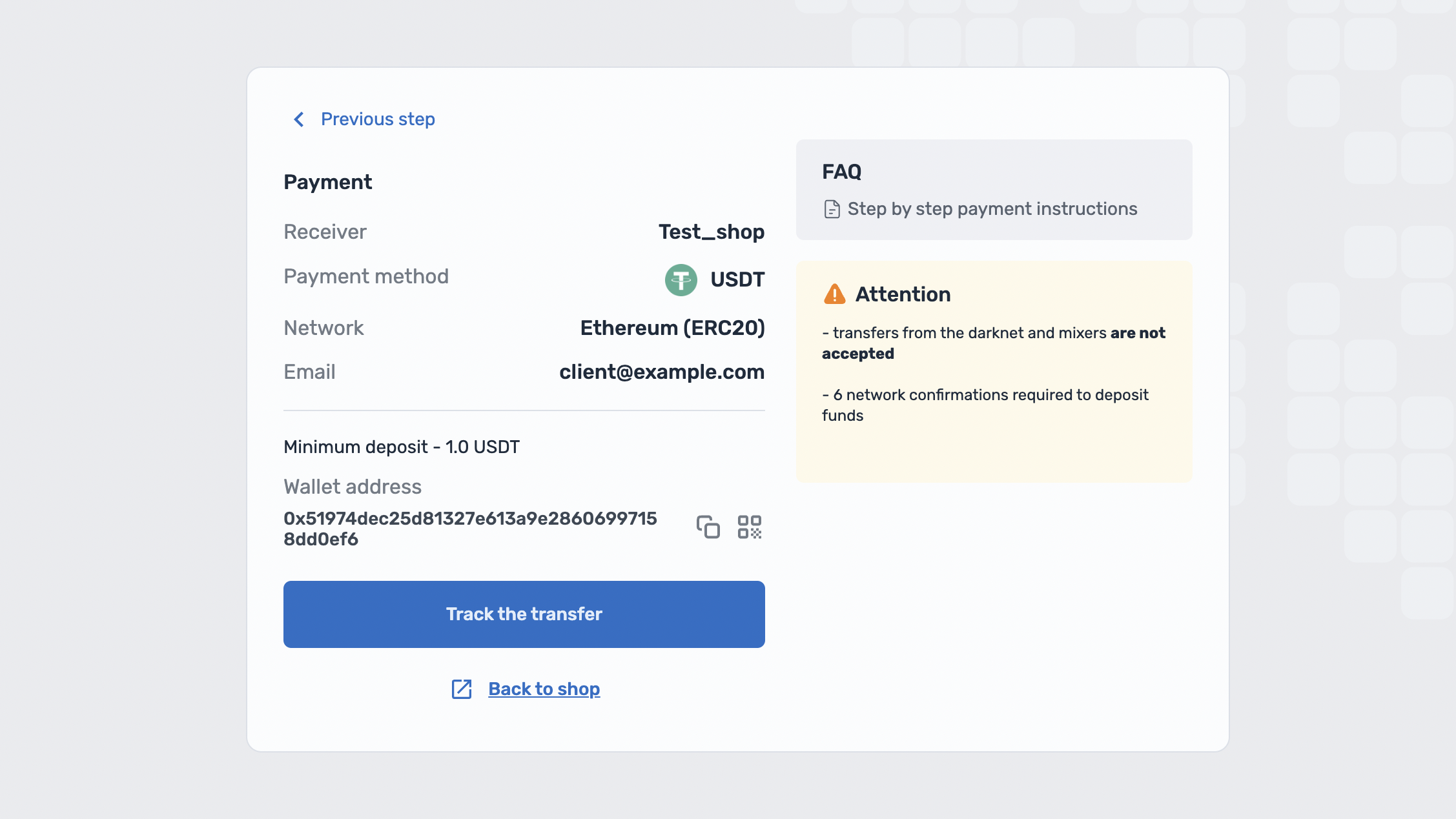
PAY is a page with an interface for accepting cryptocurrency payments, which provides a blockchain client with a convenient choice of payment and displays the address to which the client can make a payment.
Invoice creation through PAY (Crypto)
To redirect the payer to the payment page, it is necessary to generate and submit an HTML form.
URL (en): https://pay.qostiq.com/en/crypto/pay
URL (pl): https://pay.qostiq.com/pl/crypto/pay
URL (uk): https://pay.qostiq.com/uk/crypto/pay
URL (ru): https://pay.qostiq.com/ru/crypto/pay
Method: POST, GET
Mandatory parameters: client, shop_id
Example of signature formation for request:
keys_sorted = ['client', 'shop_id']
String for sha256 hash generation looks like:
testclient:6SecretKey01
HEX representation of the hash:
sign = 0f5816c558d1150f76cf77694a80b50234b00fd26137dd1a3fbee168bfd9f7dc
Example URL request [GET]:
https://pay.qostiq.com/en/crypto/pay?client=testclient&paymethod_id=1&shop_id=6&sign=0f5816c558d1150f76cf77694a80b50234b00fd26137dd1a3fbee168bfd9f7dc&email=client@example.com&return_url=https://shop.com/crytpo_return_url
HTML-form Example [POST]:
<form>
        <input name="Pay" method="POST" action="https://pay.qostiq.com/en/crypto/pay" accept-charset="UTF-8" />
        <input type="hidden" name="client" value="testclient" />
        <input type="hidden" name="paymethod_id" value="1" />
        <input type="hidden" name="shop_id" value="6" />
        <input type="hidden" name="email" value="client@example.com" />
        <input type="hidden" name="return_url" value="https://shop.com/crypto_return_url" />
        <input type="hidden" name="sign" value="0f5816c558d1150f76cf77694a80b50234b00fd26137dd1a3fbee168bfd9f7dc" />
        <input type="submit" />
</form>
Where,
| Parameter | Description | Format | Required | Example |
|---|---|---|---|---|
client | Client for which the address is generated | String | Yes | "testclient" |
paymethod_id | Payment method (currency of payment and crediting to the shop; when using this parameter, the client independently selects the payment blockchain) | String | *Optional | 1 |
payway | Payment direction (includes currency and payment blockchain) | String | *Optional | "usdt_bep20" |
shop_id | your shop identifier in the Qostiq system | Integer | Yes | 6 |
sign | signature, see Signature formation rules for crypto operations (sign) | String | Yes | "0f5816c558d1150f76cf77694a80b50234b00fd26137dd1a3fbee168bfd9f7dc" |
email | Customer email | String | No | "client@example.com" |
return_url | URL to which the customer can return from the payment page by clicking on the "Return to Shop" button | String | No | "https://shop.com/crypto_return_url" |
*One of the parameters paymethod_id or payway is required for the request.
If the paymethod_id parameter is used, the client will be able to select the payment blockchain (network);
when using payway parameter the customer will not be able to select a network, so the customer will be directed to a payment address page.
Available paymethod_id values:
paymethod_id value | Currency |
|---|---|
1 | USDT |
2 | BNB |
3 | ETH |
4 | BTC |
5 | TRX |
6 | BUSD |
7 | LTC |
8 | MATIC |